
How to Create a Business Plan in 30 Minutes with AI
Starting a business is exciting — until you hit that one scary phrase: “Write a business plan.”
Most new entrepreneurs picture a 20-page document full of financial jargon, complicated charts, and endless editing. But here’s the good news: with AI tools, you can create a clear, convincing business plan in as little as 30 minutes. Amazing right?
This guide will show you how to use tools like ChatGPT, Notion AI, and Google Sheets to build your first AI business plan — fast, simple, and stress-free.
Why You Need a Business Plan (Even a Simple One)
Before diving in, let’s clear one thing up: your AI business plan doesn’t have to be perfect. It just needs to give you clarity.
A good plan should help you:
- Understand your target audience
- Define what makes your business unique
- Estimate costs and revenue
- Set clear goals and next steps
Think of it as your map, not a novel. And thanks to AI, you can sketch that map faster than ever.
Step 1: Use ChatGPT to Generate the Core of Your Plan
AI writing tools like ChatGPT are incredible for brainstorming and structuring your plan. You don’t need to start from scratch — you just need a good prompt.
Example prompt:
“Write a short business plan for a vintage-inspired coffee and brunch café in Shoreditch, London called Velvet Bean. Include sections for vision, target market, marketing strategy, pricing, and financial goals.”
Within seconds, ChatGPT will generate a clear outline with all the major sections of your plan — something that might have taken hours manually.
Here’s what ChatGPT can create for you:
- Executive summary: A one-paragraph overview of your business idea.
- Business description: What you sell, who it’s for, and why it’s different.
- Market analysis: AI can describe your target audience, trends, and competitors.
- Marketing plan: Social media ideas, promotions, and partnerships.
- Financial overview: Simple revenue goals and cost breakdowns.
Once the draft is ready, you can tweak it until it sounds like you.
💡 Tip: If you’re not sure where to start, tell ChatGPT your business idea in one sentence, and ask:
“Can you create a simple business plan outline for me?”
In less than five minutes, you’ll have a foundation to build on.
Step 2: Use Notion AI to Organize and Refine Your Plan
Once you have your rough draft, Notion AI helps you structure it beautifully.
Notion is like a smart digital notebook that keeps your business ideas organised. You can use templates, tables, and AI-generated summaries to turn your messy notes into a clean, readable business plan. So no more messy desk tops… well, less messy desk tops at least!
How to do it:
- Create a new Notion page and name it “My AI Business Plan.”
- Add sections for Executive Summary, Market, Marketing, Financials, and Goals.
- Paste the content you generated with ChatGPT into each section.
- Use Notion AI to:
- Rewrite sentences to sound more professional
- Summarize long paragraphs
- Create bullet-point lists for clarity
Example:
If ChatGPT writes:
“Our café will focus on serving artisan coffee, locally sourced brunch dishes, and pastries with a vintage 1960s twist. We aim to attract creative professionals and weekend brunch-goers in Shoreditch.”
You can ask Notion AI:
“Rewrite this to sound more confident and inspiring.”
It might return:
“Velvet Bean is a retro-chic coffee and brunch spot in the heart of Shoreditch, serving artisanal coffee and locally sourced bites. Designed for London’s creatives and weekend explorers, it’s where nostalgia meets modern taste.”
Clean, catchy, and ready for your pitch deck.
Now you can really start to see the power of using AI to bring your business idea into a truly exciting vision!
Step 3: Use Google Sheets to Create Simple Financials
Every business plan needs at least basic financials, but you don’t need to be an accountant, or even good at maths.
Google Sheets can handle your startup costs, pricing, and profit projections — and AI can help you fill in the blanks.
Start with a simple table:
| Item | Cost | Notes |
|---|---|---|
| Rent | £1,200/month | Small unit in Shoreditch |
| Equipment | £2,000 | Coffee machine, oven, seating |
| Marketing | £500 | Flyers, ads, social media |
| Ingredients | £800/month | Coffee beans, pastries, produce |
Then, use a tool like ChatGPT to estimate your income:
“If I sell 80 coffees and 40 brunch meals per day at an average price of £6, what’s my weekly and monthly revenue after ingredient costs?”
ChatGPT can generate formulas and even write them directly for Google Sheets, such as:=(80+40)*6*30 for monthly revenue.
You can quickly calculate profit margins and breakeven points — which are essential for any potential investors or partners to see.
💡 Tip: Ask ChatGPT to “create a simple Google Sheets financial plan for a small café business.” It can write formulas and explain each step.
Step 4: Combine Everything into a 1-Page Plan
Once you have all the pieces — your ideas, structure, and numbers — it’s time to put them together into a one-page business plan.
Here’s the layout you can use:
1. Executive Summary
A quick overview of your business idea, mission, and goals.
2. Problem and Solution
Explain the gap in the market and how your business fills it.
3. Target Audience
Who your ideal customers are (and why they’ll care).
4. Marketing Strategy
How you’ll attract and retain those customers.
5. Financial Snapshot
Startup costs, projected sales, and profitability goals.
6. Next Steps
A 3-month action plan — for example:
- Secure funding
- Finalize menu and suppliers
- Launch social media and website
- Host soft opening weekend
💡 You can use ChatGPT to generate this one-page summary automatically. Just say:
“Summarize my business plan into one page using professional but simple language.”
It will compress your content into a polished, easy-to-read version — perfect for sharing with partners or potential investors.
Step 5: Make It Visual (Optional but Powerful)
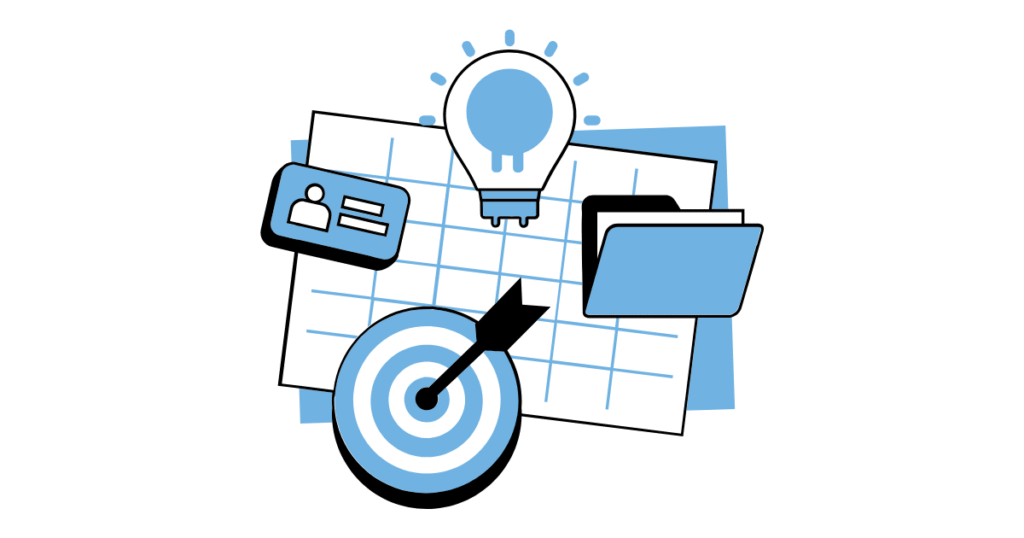
A visual plan helps you see your goals clearly — and it’s easier to remember.
Here’s how to do that in under 10 minutes:
- Use Notion’s table or Kanban board view for your action steps.
- Add charts in Google Sheets to show revenue and cost projections.
- Create a logo or moodboard with tools like Canva or ChatGPT’s image generation.
It’s not just about looking good — visual plans help you stay motivated and confident.
Step 6: Review, Edit, and Save as a Template
Once your AI business plan is done, spend five minutes reviewing it:
- Does it sound like you?
- Are the numbers realistic?
- Does it clearly explain what your business does and why it matters?
If yes, save it as a template. Next time you start a new idea, you’ll already have a 30-minute framework ready to go.
💡 Pro tip: Create a Notion or Google Docs template called “AI Business Plan Template.” You can reuse it for every new idea.
Example: Turning an Idea into a Plan (In 30 Minutes)
Let’s say you want to start a small vintage-themed dessert truck in Camden Market.
Here’s how your 30-minute plan might look:
Minutes 0–10:
Use ChatGPT to generate a business plan outline and fill in your idea.
Minutes 10–20:
Copy it into Notion AI. Ask Notion to refine the language and summarize key sections.
Minutes 20–25:
Create a quick Google Sheet for startup costs and sales projections.
Minutes 25–30:
Ask ChatGPT to write a one-page summary and finalize your AI business plan.
You now have a full plan ready to present — all in less time than an episode of your favorite show.
Why AI Makes Business Planning So Much Easier
AI tools don’t replace your creativity — they amplify it.
Instead of spending days formatting, guessing numbers, or worrying about grammar, you can focus on what really matters: your vision.
With AI:
- You save time
- You get instant structure
- You can test multiple ideas quickly
- You feel confident presenting your plan
And most importantly, you start moving.
Remember, an imperfect plan you finish today is worth more than a perfect one you never start.
Conclusion: Your 30-Minute AI Business Plan Awaits
Starting a business doesn’t have to be overwhelming. With ChatGPT, Notion AI, and Google Sheets, you can turn your idea into a structured AI business plan in just half an hour.
Here’s your quick recap:
- Use ChatGPT for the first draft.
- Refine it with Notion AI.
- Add numbers with Google Sheets.
- Combine and simplify into one page.
- Review, save, and reuse your template.
In 30 minutes, you can go from “I have an idea” to “I have a plan.”
And that’s the power of AI — helping you build your dream business faster than ever.
So what are you waiting for. Stop sitting on that million dollar idea and get planning!
Want to learn more about AI tools for entrepreneurs? Check out our homepage.